ERP Project Recovery
What to do when your vendor walks away from your ERP project halfway
Your ERP implementation partner left or stopped responding. What to check first, how to assess what has been built, and what to avoid when looking for a replacement.
· 4 min read
Emails stopped getting answered. The weekly meetings became monthly and then disappeared. Or the contract ended exactly on the agreed date, with the system half-built and nobody who feels responsible for finishing it.
However it happened, you're left with a half-finished ERP and an urgent question: what do you do now, before hiring anyone else.
The natural reaction is to go looking for a replacement right away. It's worth resisting that urgency for a couple of weeks: what you do first determines whether the next vendor quotes on real information or on assumptions, the same kind that brought the original project to this point.
What to check first: contracts, access and documentation
Before thinking about a next vendor, there are three things worth confirming while it's still easy to do.
- The contract: what was formally delivered, what was left pending in writing, and whether there is a clause on ownership of the configuration and the code that was built.
- Access: who holds the administrator credentials for the system, the test environment and any connected integration. If the vendor controls them, ask for them back before it gets harder.
- Documentation: which manuals, process diagrams or configuration logs exist. It's common for almost nothing to exist, and that is information too: it tells you how much rebuilding work is needed.
None of these three steps requires hiring anyone yet. They are yours to do, and the faster they are done, the less you lose. Keep a copy of everything, even what seems minor: emails with scope decisions, earlier versions of the configuration, database backups. When it's time to assess what can be salvaged, that evidence is worth more than it seems while the project is still active.
How to assess what can be salvaged from what's already built
Not everything left half-finished is badly done. It's common for part of the system to work correctly and for the project to have stalled for another reason: lack of training, a scope that was never closed, or a team that simply left without finishing.
Before discarding anything, test the system as it was left, with real data and processes, not with the memory of what was promised in the sale. Often what gets salvaged turns out to be more than the internal team assumed when the vendor left, because the frustration of being abandoned gets projected onto the whole system and not just the part that truly failed.
Separating what works from what doesn't requires reviewing three fronts separately: the process that was configured, the quality of the data already migrated, and whether the system itself is enough for what the operation needs. Treating the three as one is what leads to hasty decisions, like throwing everything out when only one part fails.
Common mistakes when rushing to find a second vendor
The urgency to fix things quickly is understandable, and it is also what produces the most mistakes. The most frequent ones:
- Requesting quotes before it's clear what can be salvaged, which produces proposals that don't compare like for like.
- Hiring the vendor that promises the shortest date, without asking on what basis it arrived at that date.
- Assuming you have to start from scratch because the previous project failed, without first reviewing which part is usable.
- Not involving the department that will use the system in the evaluation of the new vendor, repeating the same mistake that left the previous project unvalidated.
How urgent it is to act, depending on where the system was left
Not every project abandonment carries the same urgency. If the system already went live and the vendor simply stopped following up, operations keep running and there is time to evaluate calmly. If the project stopped before going live, the pressure is different: every week without a decision is another week operating on the previous system or on spreadsheets, while the new ERP's license keeps running.
That difference also changes how deeply you need to review before acting. A system that already operates, even with flaws, leaves a trail of what works and what doesn't. A project that never reached production has only what was documented, which is why reviewing contracts and access is even more urgent there.
When an assessment makes sense before hiring anyone else
An independent assessment, one that doesn't depend on selling the next phase, solves the underlying problem: it gives you a document with what works, what doesn't and why, before any commercial proposal enters the conversation.
With that document you can request quotes from different vendors on the same scope, instead of receiving promises that can't be compared with each other because each one starts from a different assessment, or none at all.
The previous vendor doesn't need to cooperate for that assessment to be done. Most of the cases reviewed this way are exactly that: a vendor who is no longer around and a company that needs to understand, with someone new, where its own system stands.
If your project is at this point, the recovery self-assessment is a quick first step: ten questions about the state the system was left in and how urgent it is to act.
How we can help
Facing something similar?
Tell us which system you run and what it can't do for you today. The first conversation is about understanding your situation.
Request an assessment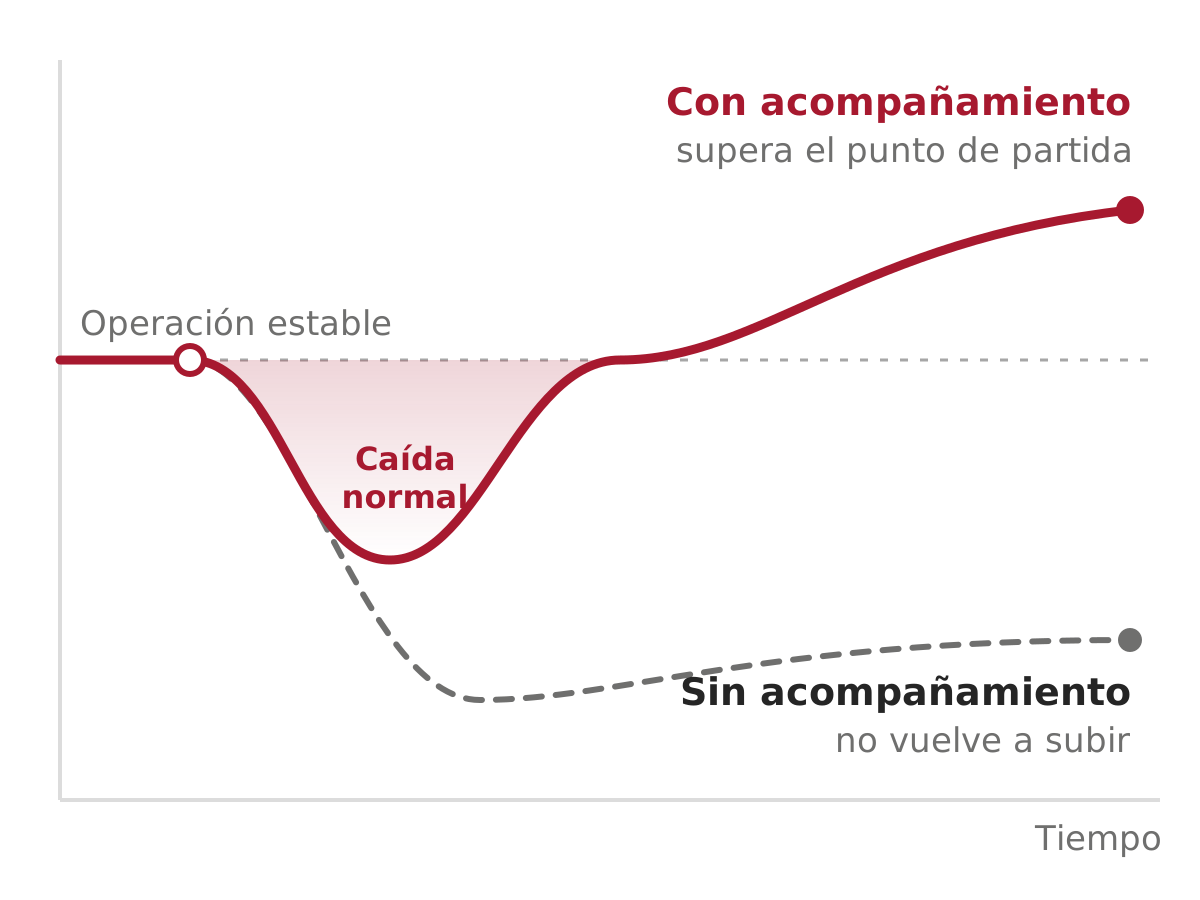


Free guide · 24 pages · In Spanish
From Excel to ERP: how to tell if it's time
What we'd tell you in a first assessment meeting, in writing: how to know whether you need an ERP, what it costs in estimated ranges and how to migrate without disrupting operations. Currently available in Spanish; English edition coming soon.
- The 7 signs you've outgrown spreadsheets
- What an ERP costs and what drives the price
- The 5 most expensive mistakes
- A checklist to decide whether it's time